Swapzy AI Review: Best NSFW Video Face Swap in 2026?
I stumbled onto Swapzy AI at 2 am, half asleep, half curious, after a mate sent me a link claiming it could swap faces in 4K without the usual pain. As an AI video face swap reviewer who spends way too much time testing undressing AI tools, AI clothes remover platforms and deepfake engines, my guard was up.
A few uploads later, my opinion landed in a very specific spot, and this review lays it all out with the good, the messy and the bits most write-ups skip.
Swapzy AI sits at swapzyface.com and pitches itself as the fastest way to create deepfake-style face swap videos from any clip you drop in. It works on YouTube, TikTok, X and local files, and it promises 4K output with no content limits. That last line is what pulls the NSFW crowd in, obviously.
🎭 Swapzy AI Verdict
| Factor | Rating | Notes |
|---|---|---|
| Face swap realism | 7.5/10 | Strong on close-ups, wobbles on fast motion |
| Speed | 8/10 | Short clips render fast, long ones queue |
| NSFW flexibility | 8.5/10 | “No content limitation” is the big draw |
| Pricing fairness | 6.5/10 | Cheap entry, but minutes run out quick |
| Privacy handling | 7/10 | Private generations, unclear deletion policy |
| Ease of use | 9/10 | Upload, pick face, generate, done |
| Output quality at max tier | 7/10 | HD is solid, Ultra HD can still look soft |
| Overall score | 7.6/10 | Worth testing, not worth worshipping |
🧐 What Swapzy AI Actually Is
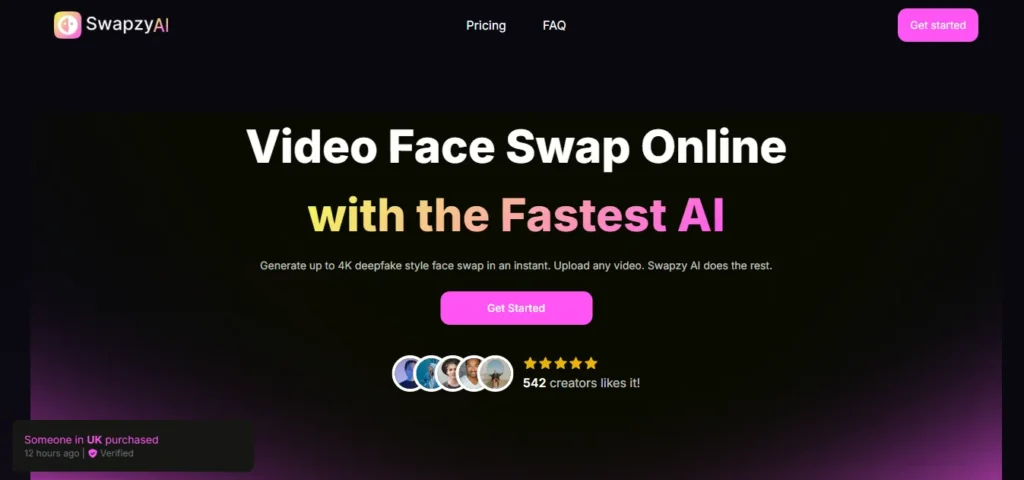
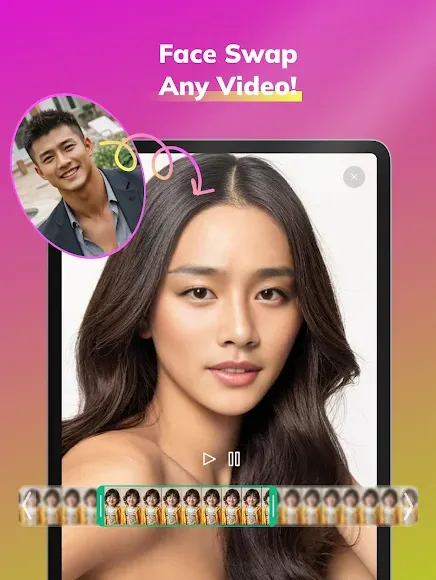
Swapzy is a browser-based AI face swap video generator that lets you lift a face off a photo and paste it onto any video subject. You upload or link a clip, drop a target image, the engine detects the faces, you pick who to swap, and it spits out a rendered file. Simple.
The site claims support for clips up to 200MB and resolutions up to 4K. On the app stores, the mobile sibling stretches that to 10-minute videos. Both share the same backend, from what I could tell during testing.
✅ First Impressions From Real Testing
My first clip was a 22-second dance video, nothing spicy, just a vibe check. The swap finished in around 40 seconds and looked cleaner than I expected on the face itself. Skin tones matched decently, and the eyes did not go dead behind the new face, which is a classic deepfake tell.
Then I threw a messier clip at it, low light, side profile, a bit of head turning. That is where the cracks showed. The jawline flickered for a split second every time the subject turned past 45 degrees, and the mouth shape got slightly out of sync on rapid cuts.
⬇ The Upload Flow Feels Clean
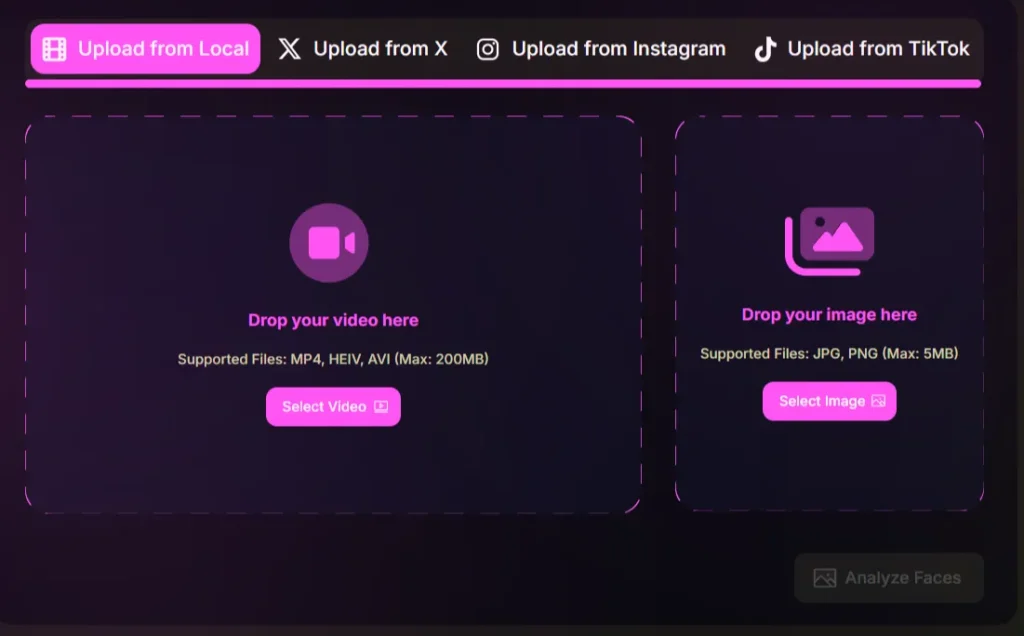
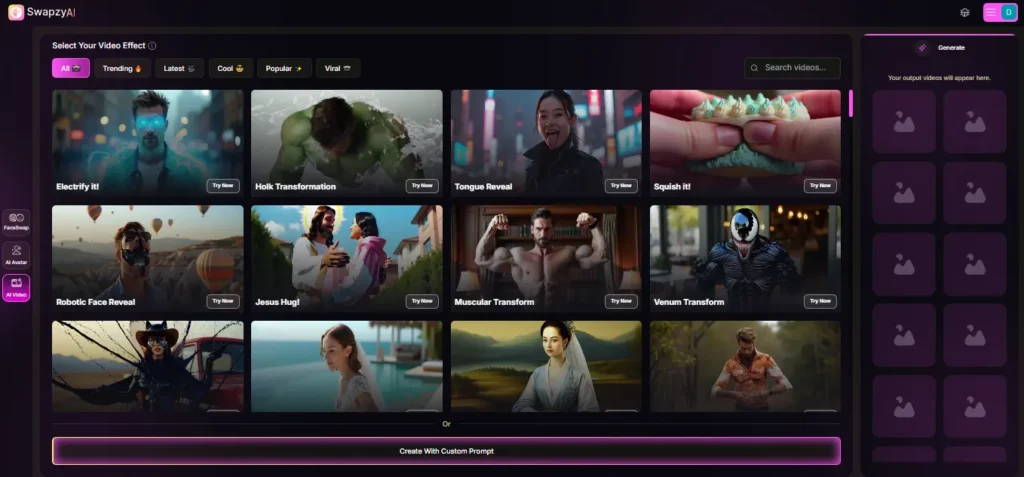
The interface is almost too minimal. You hit FaceSwap, pick your source (local, X, Instagram, TikTok, YouTube), drop an image, click Analyze Faces, select the target, and hit Generate. There is literally no clutter. 🎯
I liked that you can pull directly from X and TikTok URLs without downloading first. For creators grabbing viral clips, that saves real time. The downside is there is zero built in content moderation warning on the upload screen, which, given the NSFW angle, feels a bit loose.
💰 Pricing Breakdown
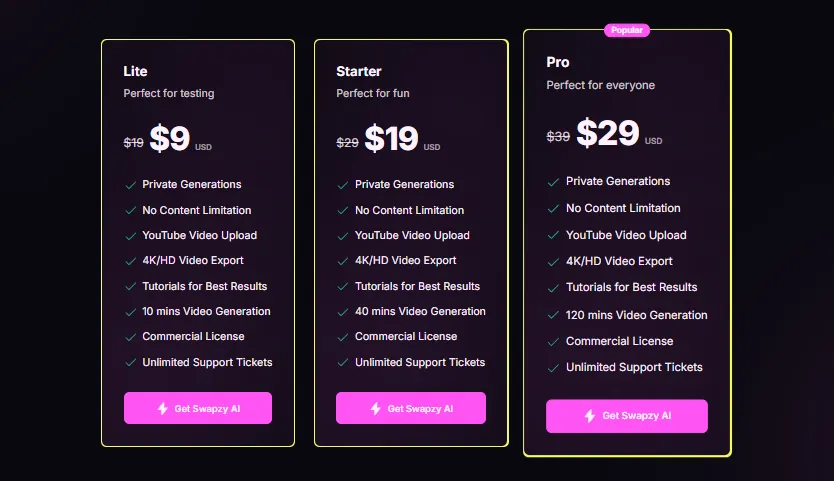
Swapzy runs three tiers with what looks like a perma-discount. The current prices after the “10$ off for the first 1000 customers” line are as follows.
All tiers include private generations, no content limits, 4K and HD export, commercial license and unlimited support tickets. On paper that is fair pricing for the AI deepfake video generator space.
❓ Where the Pricing Gets Sneaky
The catch is that these are one time minute buckets, not recurring monthly unless you top up. Heavy users chew through 40 minutes faster than expected because every retry, every test and every failed render can count against your allowance depending on the queue state.
Compared to Bestfaceswap which starts near $4.16 with monthly recurring perks, Swapzy feels pricey per minute once you push past light use. If you are a casual face swap tourist, Lite works. If you plan to build spicy content libraries, budget for the Pro tier and assume you will refill.
⚡ Response Speed and Render Timing
Here is how my test renders timed out during a late-night session.
For a video deepfake tool operating in browser, those numbers sit in the respectable zone. Not the fastest I have tested, but nowhere near the slowest either.
🚀 Realism Scoring Based on Actual Output
I made up a simple four-axis realism score while testing, and here is how Swapzy landed on each.
The weakest link is motion stability. When the subject turns their head fast or the camera pushes in aggressively, you will notice a tiny jitter on the cheek or temple area. Static shots and slow pans look genuinely convincing.
🔥 NSFW Performance and Content Flexibility
This is the bit most reviews tiptoe around, but since this review is for undressai.blog readers, let me be straight. Swapzy explicitly advertises “no content limitation” across every tier, which in practice means adult clips go through without the aggressive filters you hit on mainstream tools.
The face swap engine itself does not care what kind of video you upload, so users in the adult AI platforms space treat Swapzy as a porn face swap solution for personal fantasy content.
Results on close-up explicit clips are actually among the better ones I have seen, because the AI focuses tightly on face area rather than trying to police the rest of the frame.
🔏 Privacy and Data Handling
Swapzy labels every tier with “Private Generations”, which reads well on a pricing page but is a bit vague when you dig in. The privacy policy covers the usual bases around not selling data, but there is no clear auto-deletion timer for uploaded faces or finished renders.
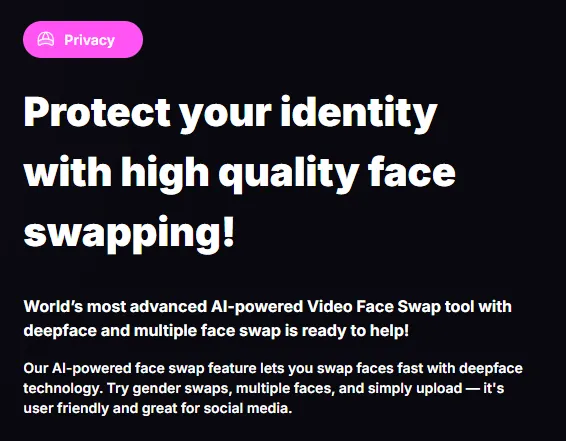
For NSFW content creators, that ambiguity is a real concern. I would recommend using a throwaway email, paying with a privacy-friendly method if possible, and manually deleting files from your account after export. Do not assume the cloud clears itself.
⚖ Consent and Legal Bits You Cannot Ignore
Quick PSA, because this is where face swap tech gets messy. Non-consensual deepfake porn is now illegal in England and Wales, and laws are tightening in the US, EU and India. Using Swapzy on someone who did not say yes is a legal landmine, no matter how “private” the generation is.
The smart move is to stick to your own face, a consenting partner's face, or properly licensed content. The tool itself does not check consent, so the responsibility lives entirely with you.
📲 The Mobile App Experience
Swapzy also exists as a mobile app on iOS and Android under the name Swapzy AI Video Generator.
App store reviews are a mixed bag, with a chunk of users complaining that the Pro package Ultra HD still produced pixelated results compared to their source clips.
I tested the web version more than the mobile, but the backend seems shared.
The mobile app adds extras like Make Me Bald, beard try on, and AI avatar generators with 40+ themed portraits. Useful if you want one app doing light photo edits too.

🧠 Memory, Personalisation and Repeat Use
Swapzy does not really have “memory” in the AI companion sense, since it is a rendering tool, not a chatbot. But across repeat sessions, I noticed the face library is saved to your account, so you do not need to re-upload the same source face every time. Small win, saves friction.
There is no learning loop though. The model does not adapt to your preferences over sessions, does not remember which style of swap worked best for you, and does not auto-tune for your face. You start fresh each render, which is fine for face swaps but a step behind what tools like Clonella do in the AI companion category.
Swapzy AI 👍 Pros and 👎 Cons After a Week of Testing
👍 What I Liked:
👎 What I Did Not Like:
🎨 Engagement Quality and Output Consistency
Using my own engagement scale, I would put Swapzy at around 7.2 out of 10 for consistency. That means roughly 7 out of every 10 renders I made came out usable without a retry. The other 3 had a noticeable issue, usually a blurred edge, a flicker, or a lighting mismatch.
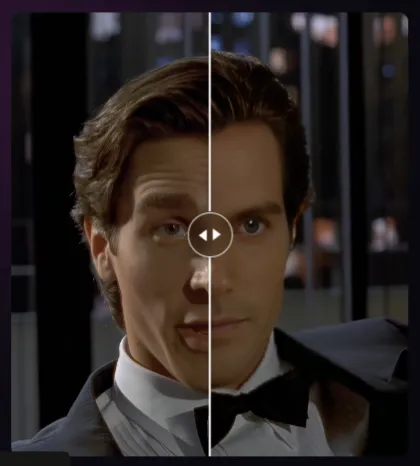
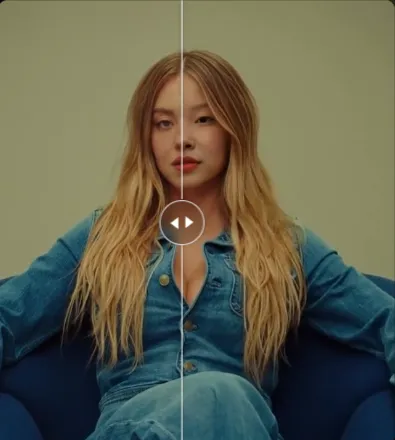
That hit rate is not bad for the AI deepfake generator market, but it is also not the perfection the marketing copy suggests. Budget your minutes with that reality in mind.
⭐ Scenario-Based Testing Results
Here is how Swapzy performed across three realistic use cases.
If your use case is short-form viral content or personal fantasy clips of modest length, Swapzy hits the sweet spot. For longer narrative style edits, you will fight the tool more than you want.
📈 Retention Likelihood Score
On my own retention scale, I would place Swapzy at 6.8 out of 10. Meaning most users will keep it around for a couple of top ups, then either graduate to something heavier like DeepSwap or drop it when they hit the consistency ceiling.
The tool is not sticky in the way a private AI interaction tool or AI roleplay platform is sticky, because there is no chat, no character, no ongoing relationship. It is a utility. You use it when you need it.
⚡ Honest Contrarian Take
Most reviews of AI face swap video tools grade them on the wow factor, which is silly because everyone looks impressive on their cherry-picked demo clip. The real test is if the tool holds up on YOUR footage, shot in YOUR lighting, with YOUR face source. 💡
On that test, Swapzy is good but not great. It beats most free options, matches mid-tier paid tools, and loses to the top-shelf names on hard scenes. Anyone claiming it is the best on the market is either running an affiliate link or only testing on easy footage.
✨ Alternatives Worth Knowing About
If Swapzy does not click for you, or if you want a different angle on AI image transformation and face swap, these are the ones I would actually recommend looking at.
Each one scratches a different itch. Swapzy is the face swap specialist, the others are broader NSFW or companion plays.
🎭 Who Swapzy AI Is Actually Best For
Swapzy makes most sense for three user types. Content creators making short-form viral clips, NSFW hobbyists who want controlled face swap fantasy content with their own or a consenting partner's likeness, and marketers needing quick face swaps for ads with a commercial license baked in. 🔥
It makes less sense for long-format editors, perfectionists chasing zero artefact output, or anyone who wants a subscription model rather than minute buckets. For those, DeepSwap or a higher-end alternative will feel better.
⚡ Small Things Most Reviews Miss
A few practical bits you only notice after real use. The 200MB upload cap is real, and it bites fast on 4K source files, so compress before uploading. The “Analyse Faces” step sometimes misses a face in busy scenes, so always double-check before hitting generate, or you waste minutes.
Also, the Ultra HD enhance option adds render time but does not always add real detail. On some clips it just sharpened the noise. Test once with and once without before committing a long clip to it.
More Recommendations from Undress AI Blog

🎯Final Honest Verdict on Swapzy AI
Swapzy AI is a solid, reasonably priced video face swap tool that delivers on the basics and quietly opens the door to NSFW creativity with its no content limit stance. It is not the most advanced engine on the market, and it has real weaknesses around motion, data transparency and minute economics, but for the price point, it earns its spot in the toolkit.
Would I use it again? Yes, for short clips and spicy side projects where I want quick results without a subscription commitment. Would I make it my main AI deepfake video generator? Probably not, I would keep a heavier tool in reserve for the harder renders.
If you go in with realistic expectations, respect consent, and treat the minute bucket like a real budget, Swapzy AI is worth the spin. Just do not expect magic on every clip, because no face swap tool delivers that yet, no matter what the landing page says. 😏